01
Upload your desk or workspace image
Use a clear desk photo that shows the desk surface and nearby room context, especially the chair, window, and door if they are visible.
Upload a desk or home office photo and let AI review desk placement, command position, facing direction, clutter, and workspace balance.

AI office desk feng shui report with desk placement and focus insights.
Desk Analysis
Upload a desk or home office photo for AI office desk feng shui analysis, command position feedback, and practical workspace suggestions.
Upload one clear desk photo. A wider angle that shows the chair, monitor, window, and nearby area helps the AI review placement and focus issues better.
The result is personalized and usually arrives in about 15 to 30 seconds.
Expected Results
The report focuses on the questions users most often have around office desk feng shui, especially desk placement, facing direction, command position, and workspace clarity.
Check whether the desk position feels supported by the room instead of exposed or awkwardly placed.
See whether your current setup matches the command position idea people commonly search for.
Understand how the desk relates to doors, windows, glare, and visual distraction.
Identify whether objects, cables, storage, and decorative items are making the workspace feel heavy or scattered.
Get practical ideas for improving concentration, comfort, and flow without overcomplicating the setup.
Receive a structured office desk feng shui report that is easy to scan and act on.
How It Works
The workflow matches the other room-analysis pages so users can move from upload to office desk feng shui feedback without extra setup.
01
Use a clear desk photo that shows the desk surface and nearby room context, especially the chair, window, and door if they are visible.
02
Tell the AI whether you want help with command position, desk direction, glare, clutter, plant placement, or a more productive home office setup.
03
Review the likely strengths, problem areas, and practical changes you can test without fully redesigning your workspace.
Use Cases
These are some of the most common reasons people search for office desk feng shui help.
Upload your current setup when you are deciding where the desk should sit in relation to the door, window, or room entry path.
Use the tool when your desk feels visually noisy, cramped, or hard to work at even if you cannot tell exactly what is causing the distraction.
People often search office desk feng shui because they want to know whether their desk is in command position. This report helps translate that rule into room-specific feedback.
Start with AI feedback before spending money on a full setup change. Small shifts in facing direction, item grouping, and visual balance can still make a noticeable difference.
More Tools
This page is best for desk-level questions. If your workspace issue is really about the surrounding room, these tools are often the next best step.
Need a different workflow? View all tools.
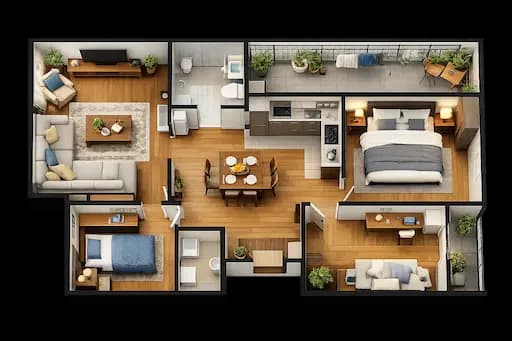
Use the broader floor plan workflow when desk placement depends on the full room or home layout, not just the desk surface itself.
Switch to the living room tool if your workspace is in a shared area and you also need help with seating, circulation, or furniture flow.

Create a cleaner plan image before analysis if your desk sits in a complex room and you want the workspace context to be easier to read.
Office desk feng shui is the practice of reviewing how desk position, facing direction, nearby doors and windows, clutter, lighting, and supporting objects may affect focus, comfort, and the overall feeling of your workspace.
In feng shui, the command position usually means placing the desk where you can see the door without being directly in line with it. Many people search for this because they want a desk setup that feels more supportive, less distracting, and easier to focus in.
There is no single answer for every room. People often search this question because they are trying to balance visibility, privacy, glare, and concentration. This tool reviews how your desk relates to the door, window, and room layout so you can see the likely tradeoffs in your specific setup.
Yes. The tool is useful for home offices, study corners, shared rooms, compact desks, and apartment workspaces. Smaller setups often benefit the most because small changes in placement can have a big impact on comfort and focus.
Upload a clear photo of your desk and the surrounding workspace. A wider angle is best because it lets the AI review not only the items on the desk but also the desk position, chair placement, nearby doors or windows, and general room context.
It does both. The report is written from an office desk feng shui perspective, but it also translates that into practical suggestions around focus, clutter, visual balance, and everyday usability so the feedback is easier to apply.
AI can review visible placement patterns, identify likely problem areas, and organize the findings into a structured feng shui-oriented report. It is most useful as a fast first pass when you want clear, practical feedback without manually studying every rule yourself.
No. Exact measurements can help, but they are not required. A clear desk or home office photo with the main layout context visible is enough to generate a useful office desk feng shui analysis.
Get AI office desk feng shui analysis for your current workspace and review desk placement, command position, clutter, and practical setup changes.